Reader
Read a classic on your own
Open a work and read it in English. The outline on the left lists its books. Click one to jump to it.
Try it Reader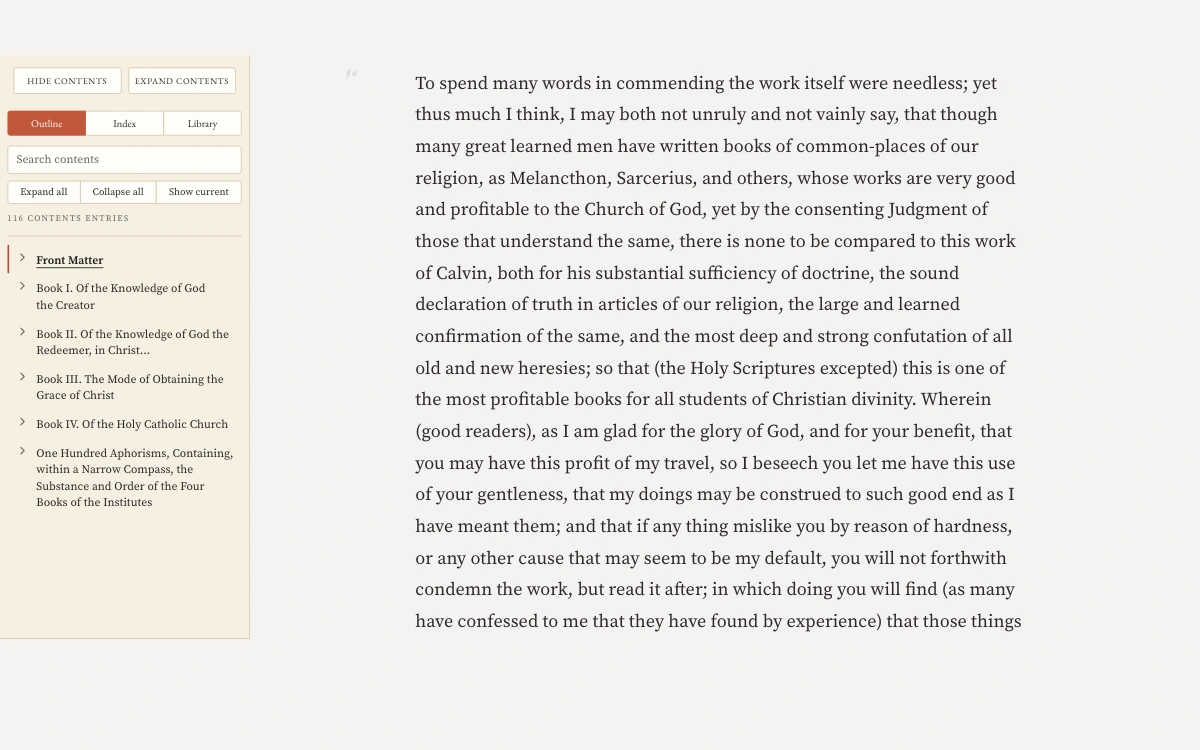
The Faith Received How to use
Three short guides. Choose the one that fits how you read.
Laity
Read on your own, lead a home group, teach a Bible study or mentor someone.
Reader
Open a work and read it in English. The outline on the left lists its books. Click one to jump to it.
Try it ReaderCreeds and confessions
The Nicene Creed opens in English with its three parts listed on the left. Click a part to read it.
Try it Creeds and confessions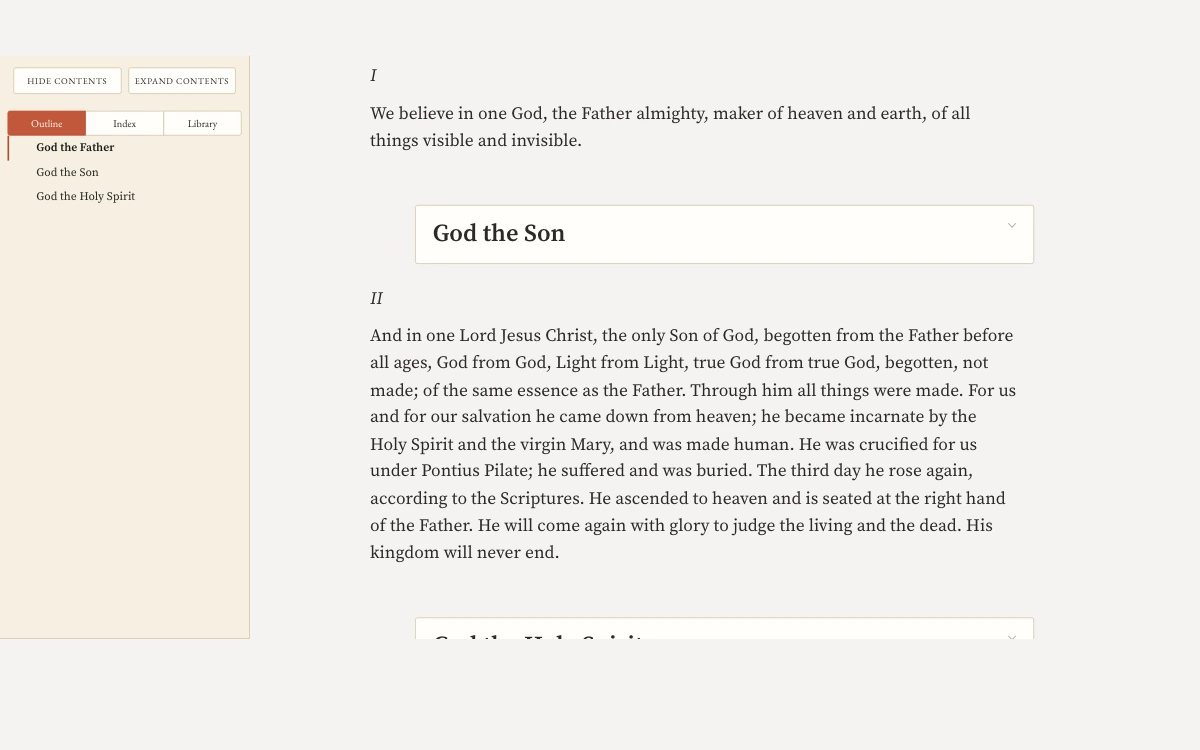
Scripture
Open a chapter and click a verse. The panel on the right lists the creeds and confessions that cite it and the commentators on it.
Try it Scripture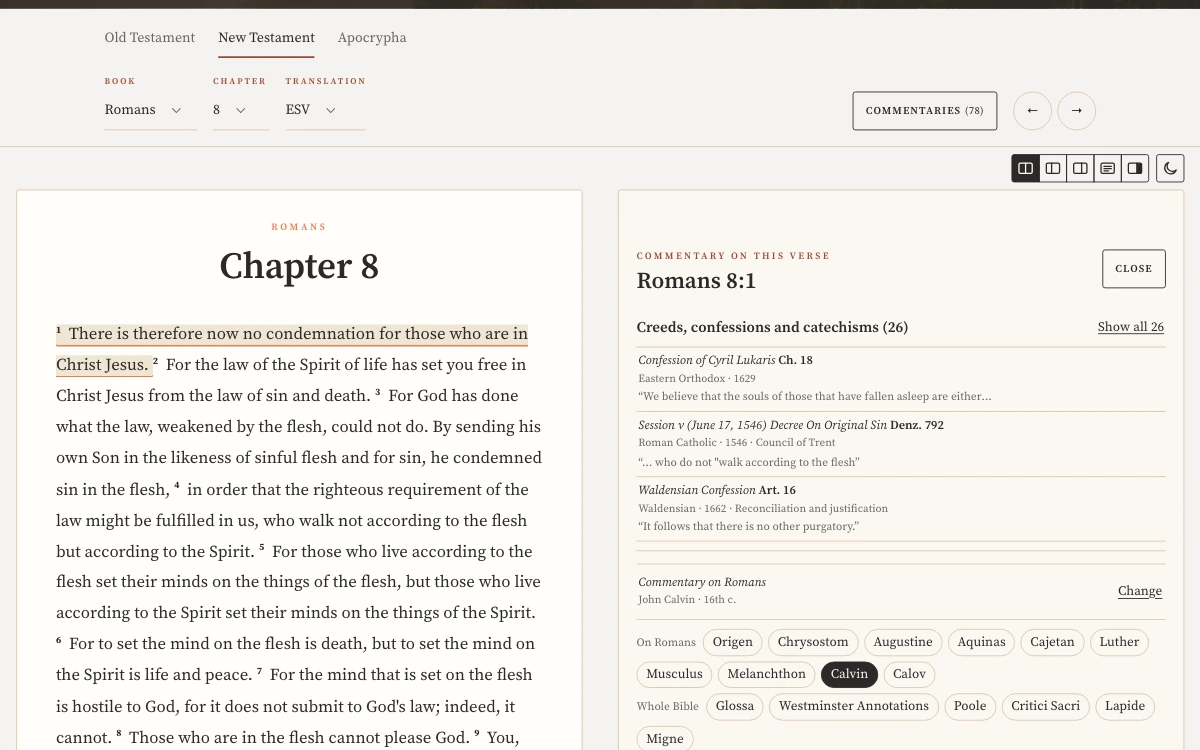
Guides
Each shelf of the library has a guide. Click a century on the ruler to see what the shelves hold from it. Then open a guide.
Try it Guides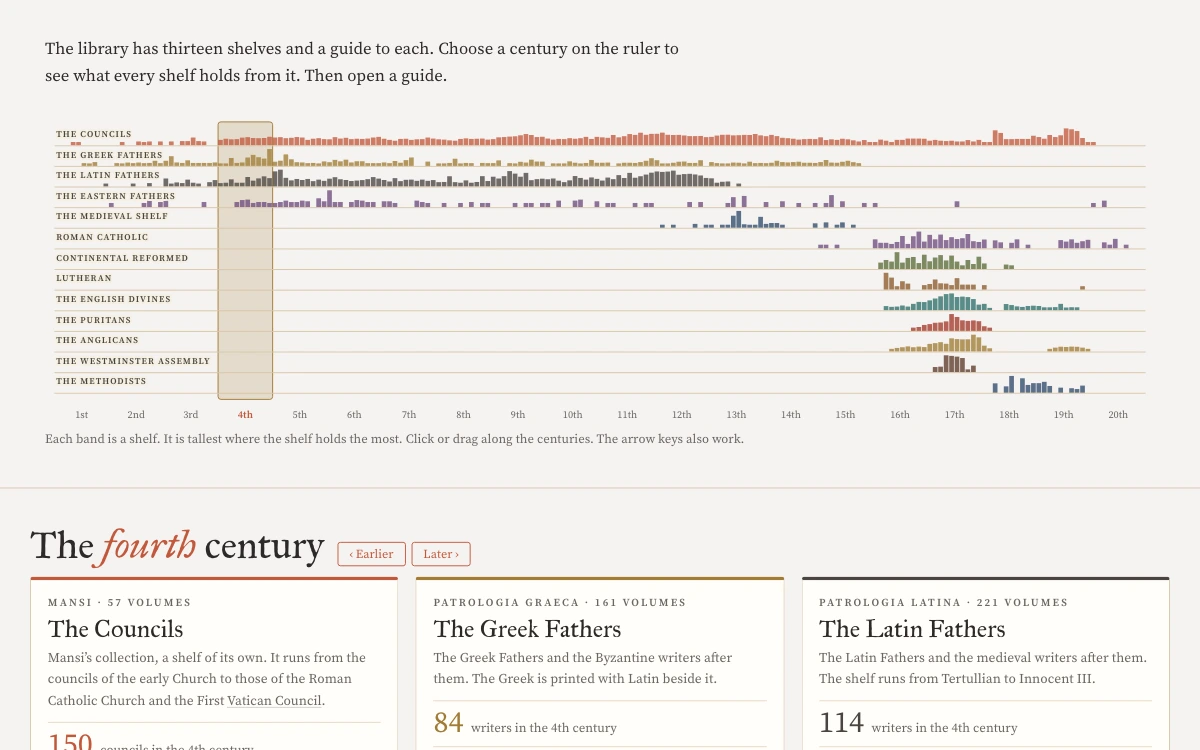
Lexicon
Search a word such as grace. Each meaning lists the authors who define it and the page.
Gathered by machine from the library’s texts.
Try it Lexicon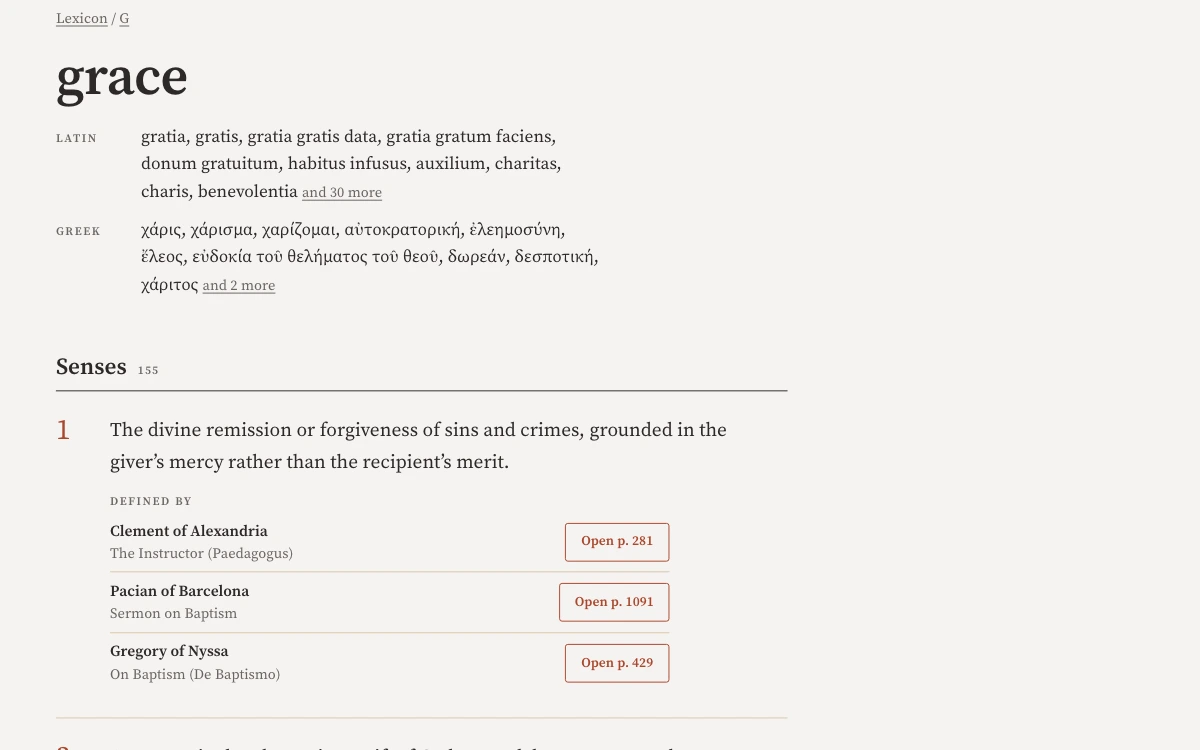
Resources
Type a word such as Nicene to list the Mere Orthodoxy essays that match. The Podcasts tab lists podcast episodes.
Try it Resources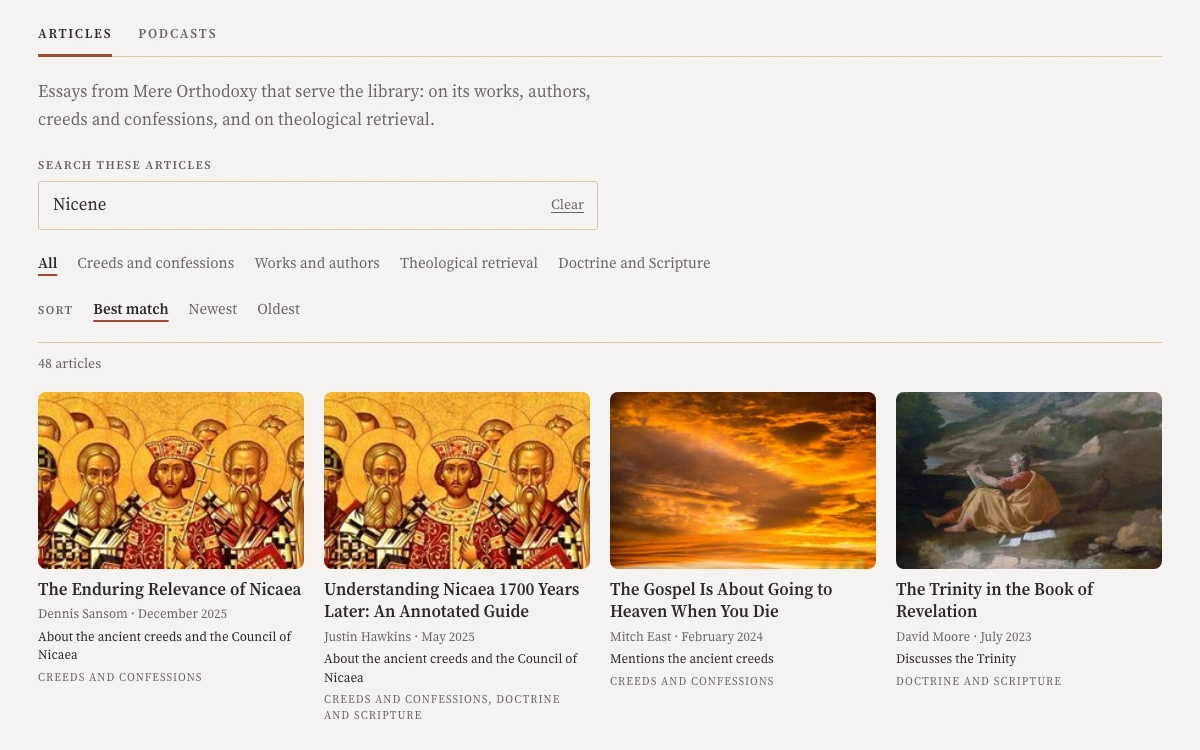
Ask
Type a question about a doctrine or a passage. The answer cites the pages of the library it drew on.
Needs a free account.
AI-assisted: answers cite the library’s pages.
Try it AskBookmarks
Keep the works you are reading and the place you stopped in each one.
Needs a free account.
Try it BookmarksNotebook
Save a passage from the reader to your notebook. It keeps the citation. Gather saved passages into collections.
Needs a free account.
Try it NotebookPastors
Prepare sermons, teach, counsel and lead a church.
Scripture
Click a verse in the chapter. Commentary on it is listed by author. Click an author to read their note.
Try it Scripture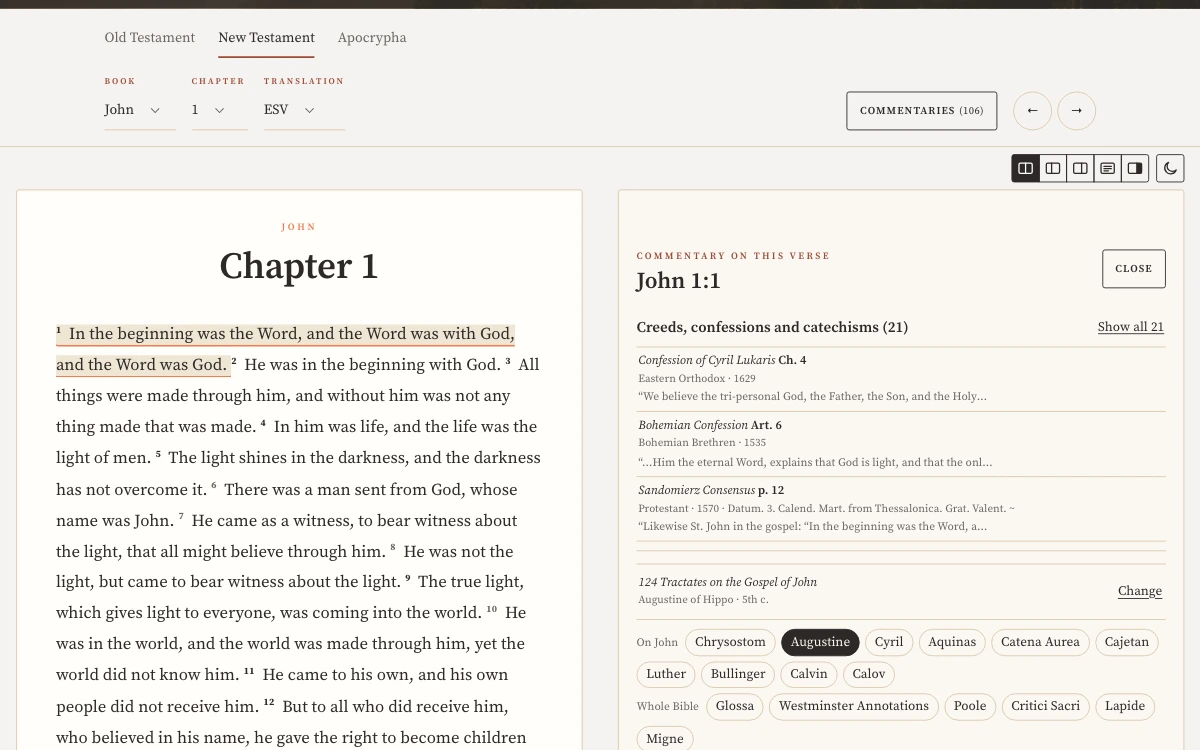
Verse Desk
The Verse Desk shows one verse with a chart of the works that cite it by century. Counts of commentaries and of confessions that cite it sit below.
Try it Verse Desk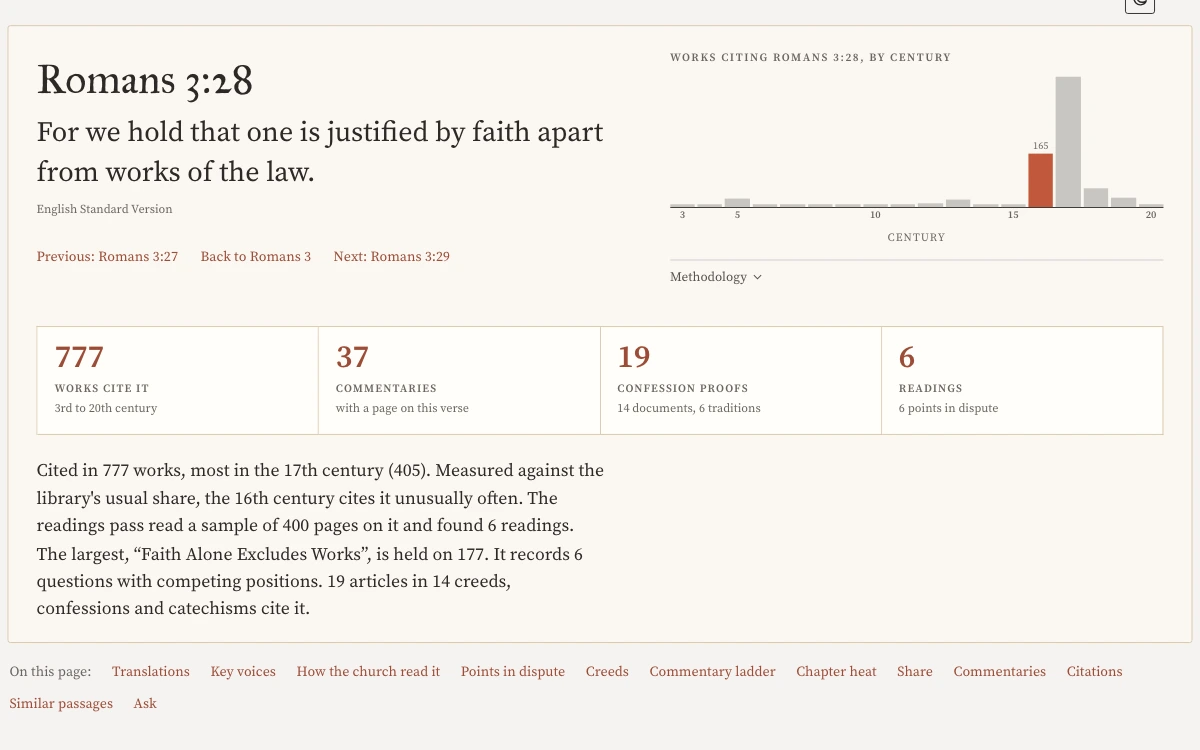
Lexicon
Look up a term such as fides. The entry gives its Latin and Greek words and the meanings authors gave it.
Gathered by machine from the library’s texts.
Try it Lexicon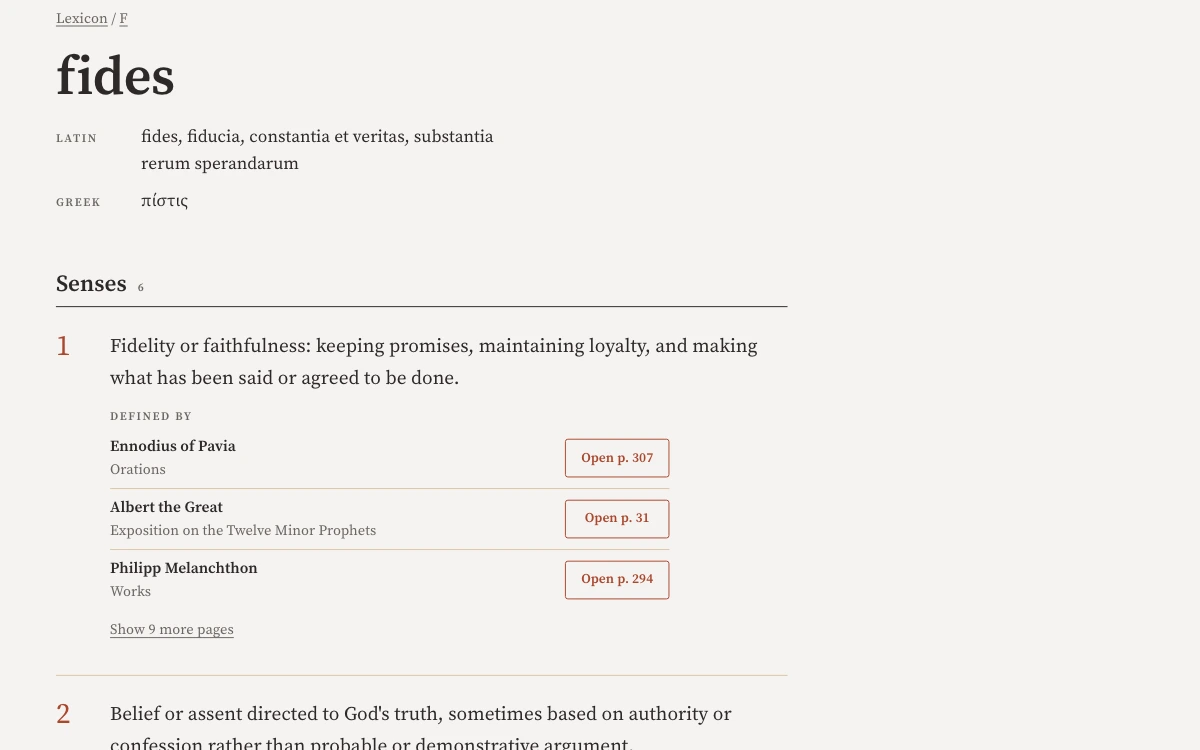
Commentary Decks
Choose a commentator from the list on the right. Their comments appear beside the text.
Try it Commentary Decks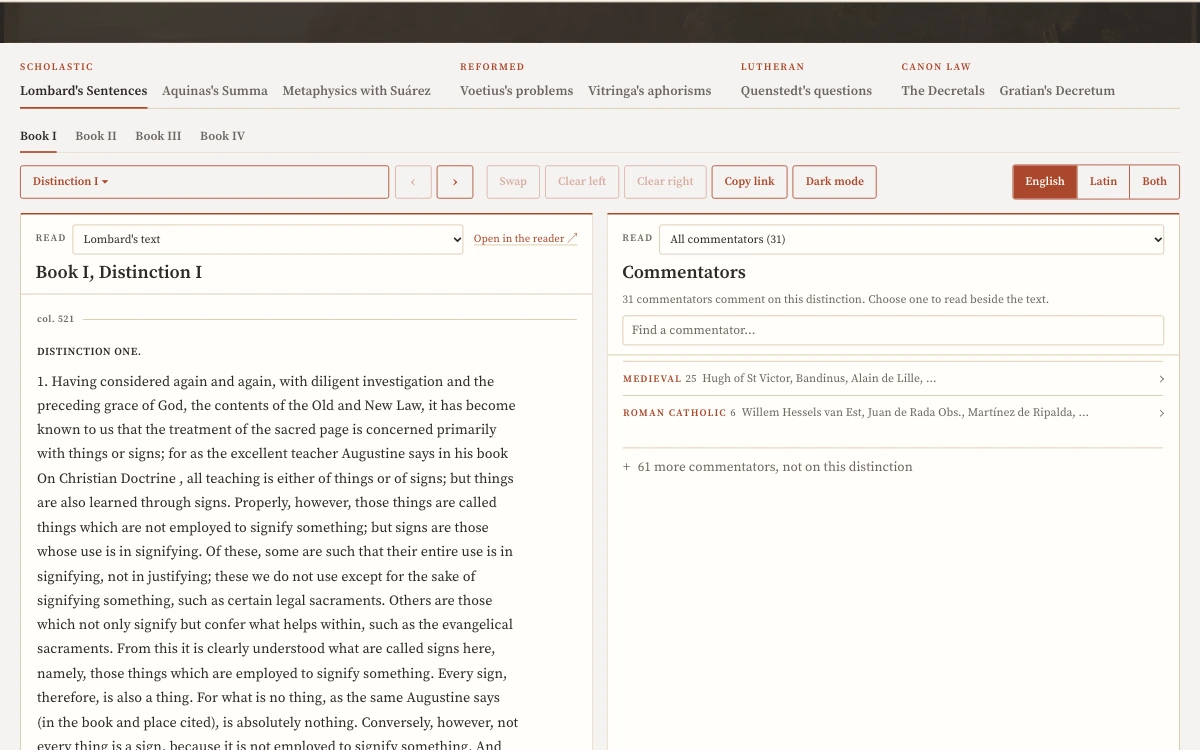
Topics
The Topics page for repentance counts the confession articles and authors who wrote on it. A chart places the authors in time.
Try it Topics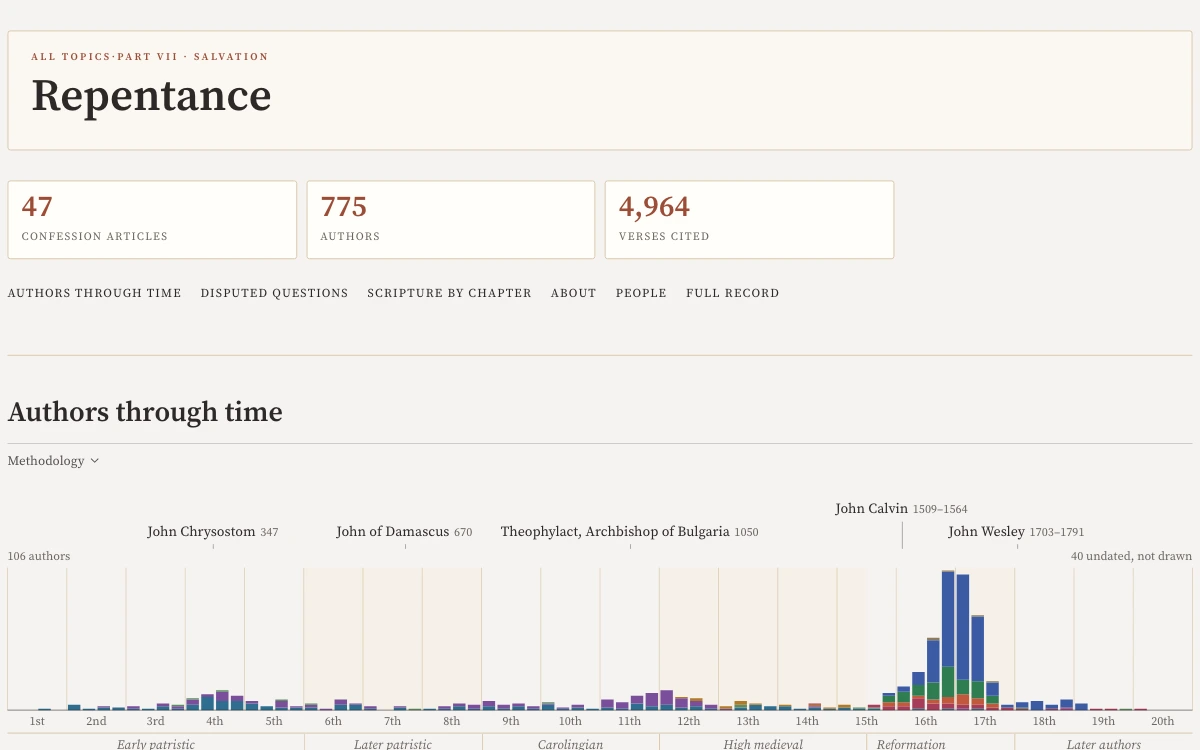
Traditions
Each tradition is listed with a line on who it is and how many documents and authors the library holds.
Try it Traditions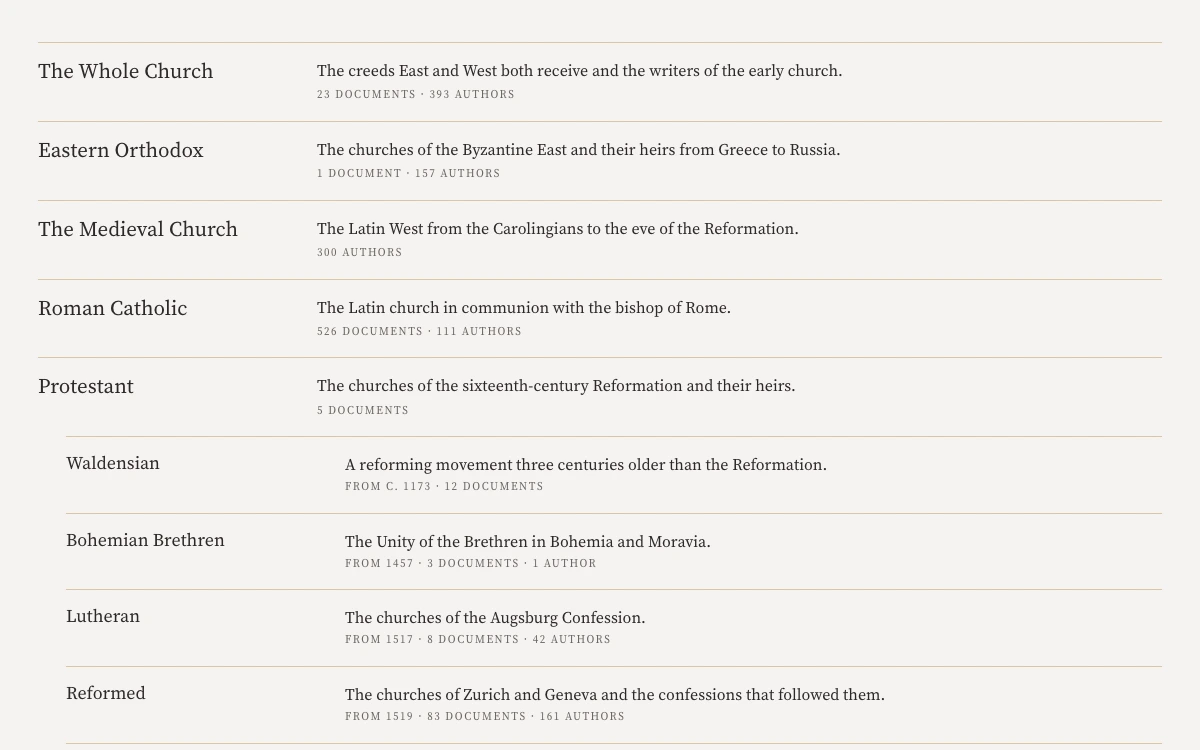
Ask
Name a doctrine and a tradition in your question. The answer cites the pages of the library it drew on.
Needs a free account.
AI-assisted: answers cite the library’s pages.
Try it AskCompare
Choose two to four authors and one topic. Their writing on it appears side by side, grouped by work.
Needs a free account.
Try it CompareNotebook
Save a passage from the reader to your notebook. It keeps the citation and the exact paragraph.
Needs a free account.
Try it NotebookDesk
The Desk holds the passages you saved while you write. Each stays linked to the text it came from.
Needs a free account.
Try it DeskAcademics
Research, teach from primary sources and cite them.
Lexicon
Search a Latin, Greek or English term. Each result shows its Latin and Greek words and the number of works that define it.
Gathered by machine from the library’s texts.
Try it Lexicon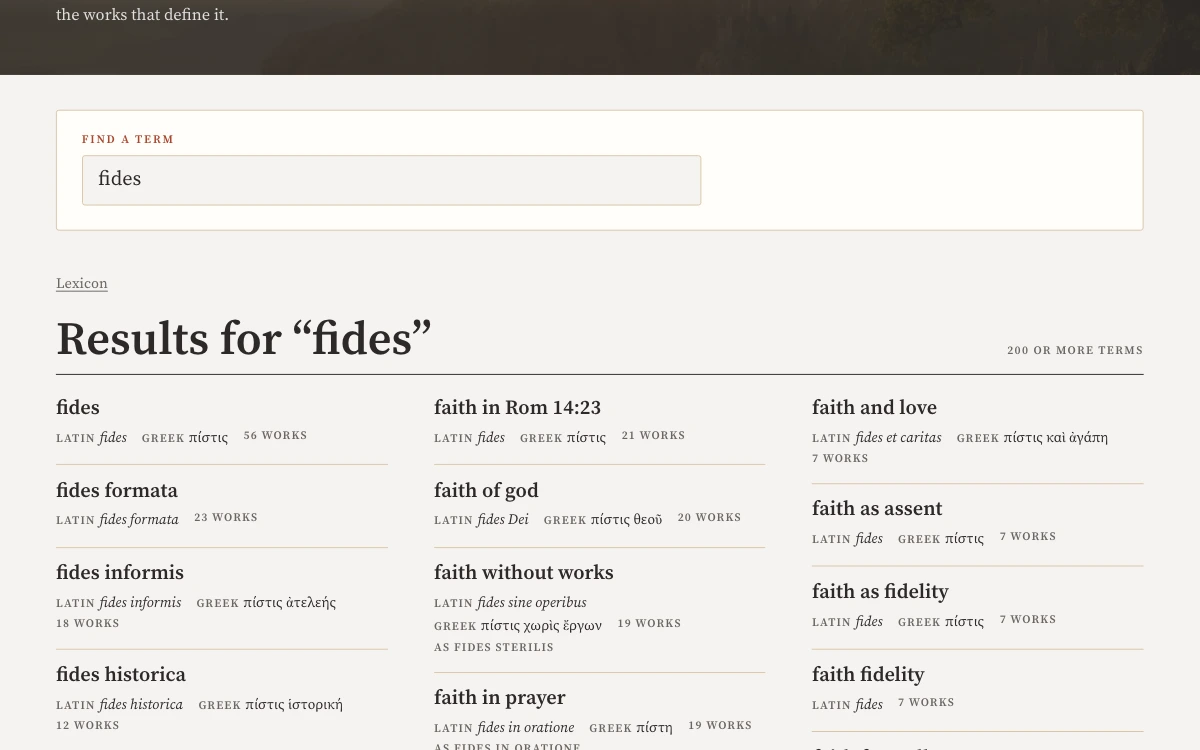
Power Search
Describe an idea in plain English. Power Search finds passages that say it even if they never use your word. Narrow by tradition or by author or title.
Needs a free account.
Try it Power SearchDisputed Questions
Choose a question in the list on the left. A chart plots how authors answered it by century.
Software reads each answer from the author’s pages.
Try it Disputed Questions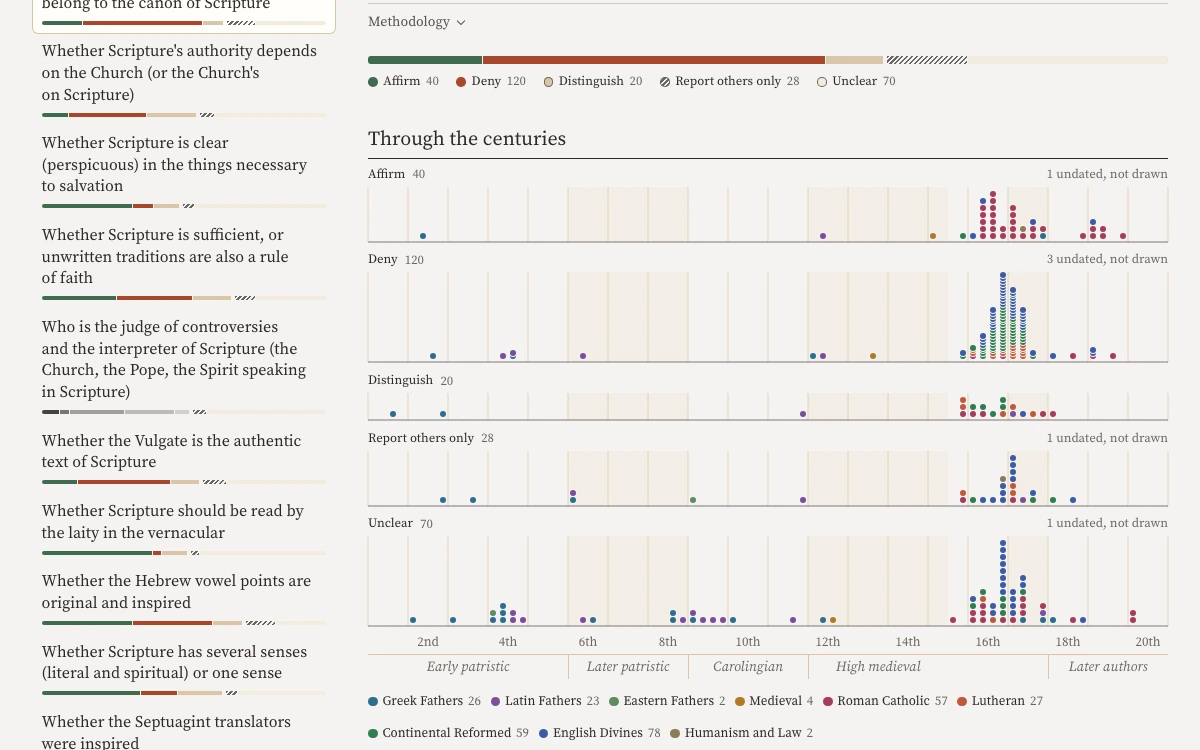
Set Indexes
Choose an edition from the list. Its subjects are listed by letter. Each entry gives the volume and page numbers.
Try it Set Indexes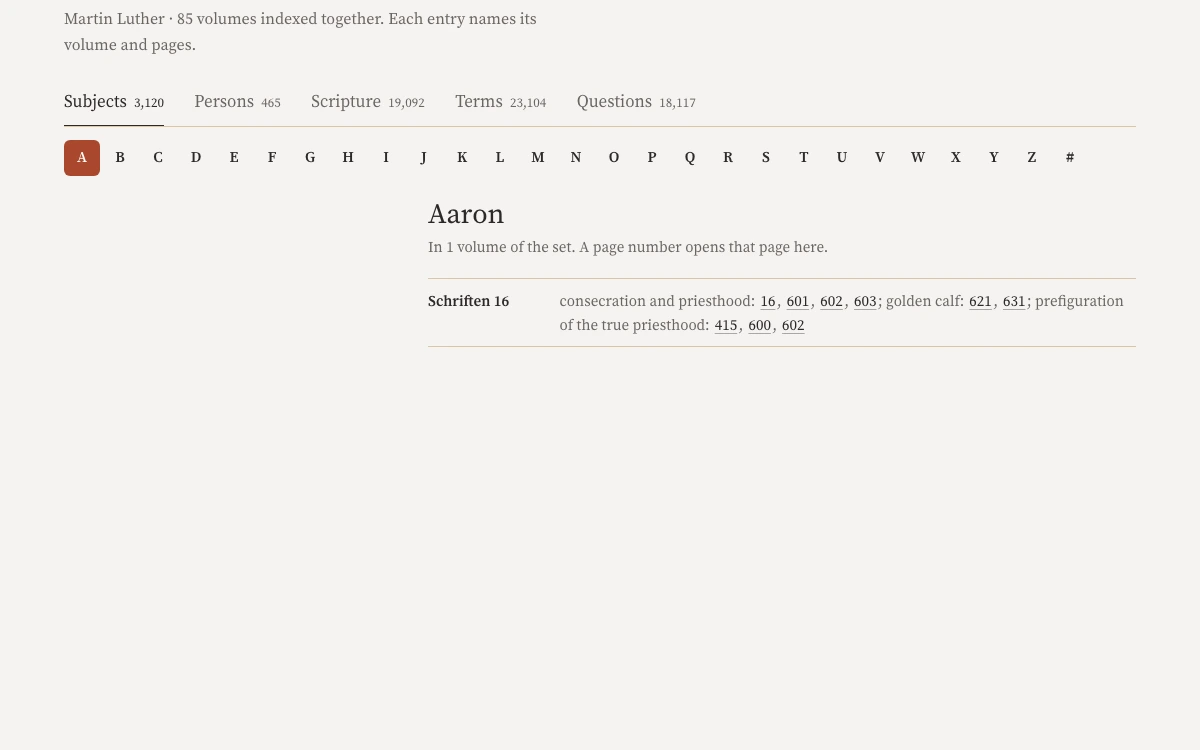
Page Scans
Choose Scan in the reader. The Source Scan pane shows the printed page beside the text.
Try it Page Scans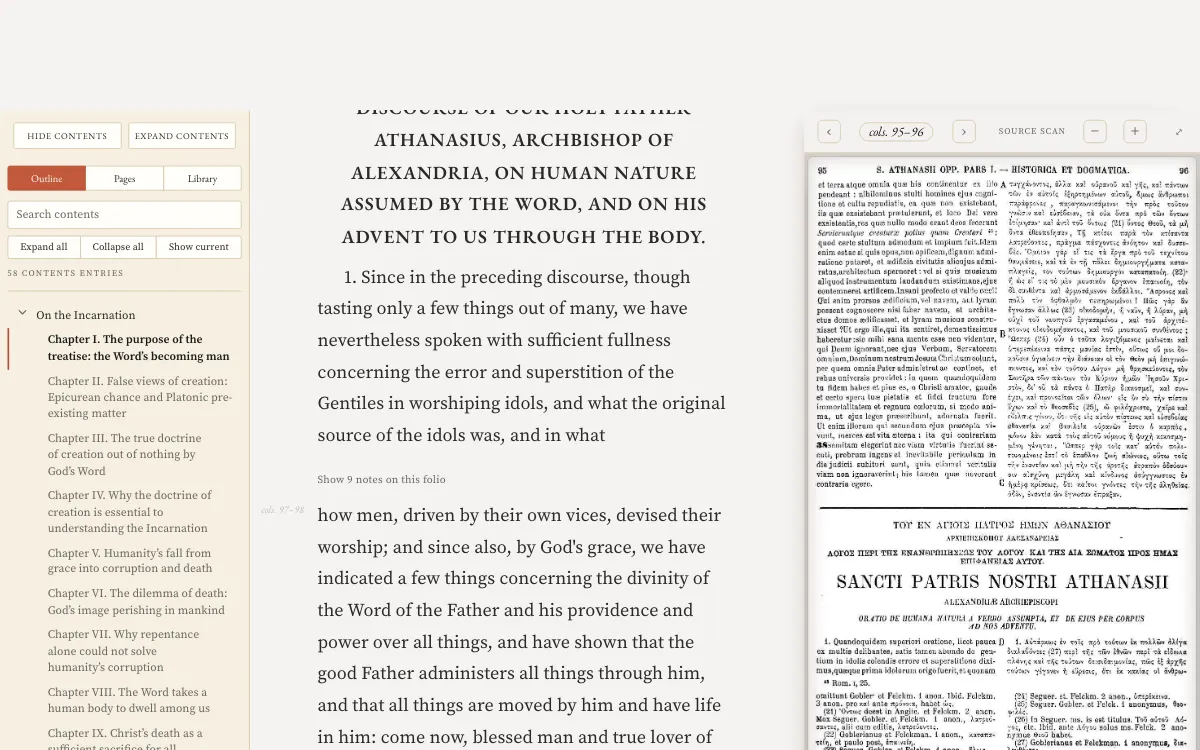
Compare
Choose two to four authors and one topic. Read their writing on it side by side.
Needs a free account.
Try it CompareConnections
Connections maps the library by citation. Click an author to see the passages behind each link.
Needs a free account.
Try it ConnectionsNotebook
Save a passage from the reader to your notebook. It keeps the citation. Gather saved passages into collections.
Needs a free account.
Try it NotebookDesk
The Desk holds the passages you saved while you write. Each stays linked to the text it came from.
Needs a free account.
Try it DeskAsk
Ask in plain English whether the library discusses a claim. The answer cites the pages it drew on.
Needs a free account.
AI-assisted: answers cite the library’s pages.
Try it Ask